Udemy Stable Diffusion Flux Ideogram Grok Gemini Adobe Firefly AI Automation AI Basics for Beginners

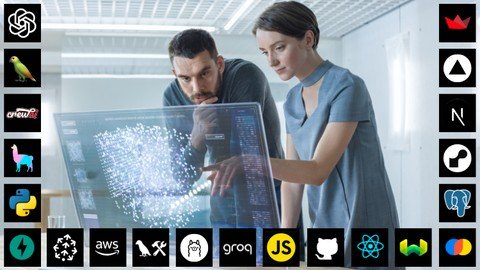
2026 Bootcamp: Generative AI, LLM Apps, AI Agents, Cursor AI
By Julio Colomer Posted: Jul 29, 2026

Course Details

Pricing Paid
Offered By Udemy
Difficulty Intermediate
Duration Approximately 16.5 Hours On-Demand Video
Language English
Certificate Available

Course Curriculum & Description

Master the latest generation of Artificial Intelligence tools by learning how to build real-world applications using Generative AI, Large Language Models (LLMs), AI Agents, and Cursor AI. This comprehensive bootcamp guides you from AI fundamentals to developing intelligent applications powered by today's most advanced AI technologies.

You'll learn prompt engineering, AI-assisted coding, autonomous AI agents, LLM integrations, modern development workflows, and practical deployment techniques. Through hands-on projects, you'll create AI-powered applications, automate workflows, and explore the latest tools used by developers and AI startups.

Whether you're a software developer, AI enthusiast, entrepreneur, or student, this course provides practical experience for building next-generation AI applications.


Course Modules

Module 1 — Generative AI Fundamentals

  1. Introduction to AI
  2. Foundation Models
  3. AI Development Environment

Module 2 — Prompt Engineering

  1. Prompt Design
  2. Context Engineering
  3. Advanced Prompt Techniques

Module 3 — LLM Applications

  1. Building AI Apps
  2. Chatbots
  3. AI Assistants

Module 4 — AI Agents

  1. Autonomous Agents
  2. Multi-Agent Systems
  3. Agent Workflows

Module 5 — Cursor AI

  1. AI-Assisted Coding
  2. Code Generation
  3. Developer Productivity

Module 6 — API Integration

  1. OpenAI APIs
  2. LLM Integration
  3. AI Services

Module 7 — Deployment

  1. Production Deployment
  2. Testing
  3. Optimization

Module 8 — Real-World Projects

  1. AI Productivity Tools
  2. Business AI Apps
  3. Automation Projects


What You Will Learn

  • Understand Generative AI fundamentals
  • Build real-world LLM applications
  • Create intelligent AI assistants
  • Improve coding productivity with Cursor AI
  • Design advanced prompts
  • Integrate APIs into AI apps
  • Develop AI automation workflows
  • Build scalable AI solutions
  • Deploy AI-powered software
  • Gain practical AI development experience

Course Prerequisites

Basic computer knowledge
Basic programming knowledge is helpful
Internet connection
Curiosity to build AI applications
No previous AI experience required

Course Highlights

Hands-on AI Projects
LLM Application Development
Cursor AI Programming
AI Agent Development
Prompt Engineering
Modern AI Development Tools
Production Deployment
Beginner Friendly
Lifetime Access
Certificate of Completion

Tagged Topics & Skills

Categories:
Skills Mapped:
Generative AI Large Language Models (LLMs) AI Agents Cursor AI Prompt Engineering OpenAI API AI Chatbots AI Automation Python AI Coding Workflow Automation API Integration Software Development AI App Development

Ready to Start Learning?

Enroll directly on the official Udemy website to begin your lessons.

Open Course Website

Associated AI Tools

Gemini AI

Gemini AI is Google's family of generative AI models and the AI assistant available through the Gemini app. It can understand and work with text, images, files, audio, video, and code, helping users with writing, research, learning, analysis, brainstorming, coding, and creative tasks. Gemini also connects with Google products and services to support everyday productivity.Uses of Gemini AIGemini AI can help users write emails, articles, social media posts, summaries, presentations, study notes, and other types of content. It can also analyze uploaded documents and images, answer questions, explain difficult topics, brainstorm ideas, translate content, and assist with coding and software development. Its multimodal capabilities allow users to work with different types of information in one conversation.Gemini is also useful for research and productivity. Users can use features such as Deep Research, connect Gemini with supported Google apps, create reports, generate and edit images, and create AI-generated video through Google's video-generation tools. Depending on the plan and region, Gemini can also provide access to additional AI models and higher usage limits.Gemini AI Models & Sub-ModelsGemini 3.8 Flash is Google's latest high-performance Flash model, designed for complex agentic tasks at scale. It focuses on combining strong reasoning with speed and efficient execution, making it suitable for coding, automation, research, and AI agents.Gemini 3.7 Flash is a powerful workhorse model designed for coding, reasoning, and agent-based workflows. It is particularly useful when applications need a balance between intelligence, speed, and cost efficiency.Gemini 3.5 Flash-Lite is designed for high-volume tasks where speed and efficiency are important. It is suitable for everyday AI workloads such as summarization, classification, content processing, and other tasks that need fast responses.Gemini 3.1 Pro is designed for more complex tasks that require stronger reasoning and deeper understanding. It can work across text, files, images, and video and is useful for advanced coding, research, problem-solving, and creative work.Gemini 3.1 Deep Think is a specialized reasoning model designed for difficult scientific, research, engineering, and mathematical problems. It provides deeper reasoning capabilities for challenges that require more complex problem-solving.Gemini Omni Flash is Google's newer multimodal model family focused on real-world reasoning and generative creation. It supports creative workflows and video-generation capabilities and is available through Gemini and Google AI Studio depending on access and region.Gemini Flash-Lite is an efficient model designed for speed and everyday tasks such as summarization and brainstorming. Gemini Flash provides a stronger balance between speed and reasoning, while Gemini Pro is designed for more advanced tasks involving complex reasoning, mathematics, coding, files, images, and video.Gemini Deep Research is an AI research feature that can investigate a topic, gather information, and create detailed research reports. It is useful for market research, academic research, business analysis, competitive research, and other information-heavy tasks.Gemini Image Models include Google's image-generation and editing models, including the Nano Banana family and Gemini image models. These can be used to create, modify, and refine visual content from natural-language instructions.Veo is Google's generative video model family used for AI video creation. Current Google AI offerings include Veo 3.1 and related video-generation capabilities through Gemini and Google Flow, depending on the user's plan and region.PricingGemini AI has a Free access option with standard usage limits. Google also offers Google AI Plus, Google AI Pro, and Google AI Ultra plans that provide higher usage limits and expanded access to advanced Gemini models and features. The exact limits and available features can vary by country and can change over time.Free: Yes, standard Gemini accessPaid: Yes, Google AI Plus, Pro, and UltraFree Trial: Availability varies by plan, promotion, and regionBest Use CasesGemini AI is best suited for students, professionals, marketers, writers, developers, researchers, business teams, educators, and everyday users who want one AI assistant for a wide range of tasks. It can be used for content creation, research, coding, studying, document analysis, brainstorming, business reports, image creation, video generation, data analysis, and productivity. Its ability to work across text, images, files, audio, video, and Google's wider ecosystem makes Gemini especially useful for people who already use Google Workspace and other Google services.
Free

SlidesAI

About SlidesAISlidesAI is an AI-powered presentation tool that helps users create professional PowerPoint and Google Slides presentations from simple text. Instead of designing slides manually, users can enter a topic or paste content, and SlidesAI automatically generates well-structured presentations with attractive layouts. It is ideal for students, teachers, business professionals, marketers, and anyone who wants to create presentations quickly and easily.Uses of SlidesAISlidesAI helps users convert articles, notes, reports, blogs, and documents into engaging presentations within minutes. It automatically organizes content into slides, creates headings, adds bullet points, and suggests layouts, allowing users to save time and focus on delivering their message instead of designing each slide manually.The platform is also useful for creating business proposals, educational presentations, sales pitches, project reports, training materials, and marketing presentations. Users can customize themes, colors, fonts, and layouts to match their brand or personal style, making every presentation look professional with minimal effort.SlidesAI Models & Sub-ModelsSlidesAI Presentation Generator is the platform's core AI model that converts text into fully designed presentations. It analyzes the content, creates a logical slide structure, and generates visually appealing slides with suitable formatting.Text to Presentation allows users to generate complete presentations by simply entering a topic or pasting written content. The AI automatically divides information into multiple slides with clear headings and organized content.AI Content Summarizer helps shorten long documents and extracts the most important points before adding them to presentation slides. This ensures presentations remain clear, concise, and easy to understand.Presentation Customization AI recommends themes, layouts, fonts, colors, and design styles based on the presentation topic. Users can quickly personalize their presentations without spending time on manual formatting.SlidesAI also integrates with Google Slides, allowing users to generate, edit, and present AI-created slides directly within their Google Workspace, making collaboration and editing more convenient.PricingSlidesAI offers a Free Plan that allows users to create a limited number of AI-generated presentations each month. It also provides Paid Plans with higher usage limits, longer presentations, premium design options, and advanced AI features. A Free Trial is available for eligible users who want to explore premium features before purchasing a subscription.Best Use CasesSlidesAI is an excellent tool for students, teachers, business professionals, marketers, entrepreneurs, consultants, and corporate teams. It can be used to create classroom presentations, business proposals, project reports, investor pitch decks, sales presentations, marketing strategies, training materials, webinars, and meeting slides. By automating presentation design and content organization, SlidesAI helps users create professional presentations faster while saving valuable time.
Free

SuperAGI

SuperAGI is an open-source AI agent platform that helps developers build, manage, and run autonomous AI agents. These agents can reason, plan tasks, use external tools, access information, and work toward specific goals with less human intervention. SuperAGI is designed for developers, startups, businesses, and AI teams that want to build powerful and customizable AI automation systems.Uses of SuperAGISuperAGI helps developers create AI agents that can perform tasks such as web research, coding, data analysis, content creation, email management, and business automation. Agents can use different tools and remember information from previous tasks, allowing them to handle multi-step workflows instead of simply answering one question at a time.The platform can also connect AI agents with external services such as GitHub, email systems, search tools, databases, and other applications. This makes it useful for automating software development, research, marketing, customer support, and business operations. Developers can also monitor agent activity and performance through its graphical interface and telemetry features.SuperAGI Models & Sub-ModelsSuperAGI Agents are the main building blocks of the platform. An agent uses an AI language model to understand goals, plan actions, use tools, and complete tasks. Developers can give each agent specific instructions, resources, tools, and limitations depending on the job it needs to perform.Re-Act Agent Architecture allows an agent to follow a simple cycle of thinking and execution. The AI decides what needs to be done, selects a suitable tool, executes the action, and then continues working toward the goal. This approach helps agents handle tasks that require multiple steps.Fixed Task Queue allows an agent to break a goal into a list of tasks, prioritize them, and complete them one by one. This is useful when a project has several clearly defined steps that need to be completed in order.Dynamic Task Queue allows agents to create additional tasks when they discover that more work is required. The agent can add and prioritize new tasks while working, making this approach useful for complex and changing workflows.Memory System allows SuperAGI agents and tools to store useful information from previous iterations and workflows. This helps agents access relevant past information and improve how they handle future tasks.SuperAGI Toolkits extend what agents can do by connecting them with external capabilities. Available toolkits include coding, web search, email, GitHub, and image generation, allowing agents to take real actions instead of only generating text.PricingSuperAGI offers a Free Plan for individuals getting started, with 100 credits per month. It also provides Paid Plans, including Starter and Business plans, with more credits, integrations, analytics, and additional features. An Enterprise Plan is available with custom pricing for larger organizations. Free Trials are available for the Starter and Business plans.Free: YesPaid: YesFree Trial: Yes, available for selected paid plansBest Use CasesSuperAGI is an excellent platform for developers, AI engineers, startups, researchers, and businesses that want to build autonomous AI systems. It can be used to create research agents, coding assistants, marketing automation agents, data analysis workflows, email assistants, customer support systems, and business automation tools. Its combination of autonomous agents, external tool integration, memory, task management, and performance monitoring makes SuperAGI a useful choice for building customizable AI-powered workflows and applications.
Free

Related Courses

The Complete Video Editing Series | HINDI Paid
Udemy 5 hours 56 minutes

The Complete Video Editing Series | HINDI

Learn professional video editing in Hindi with Adobe Premiere Pro, DaVinci Resolve, and After Effects, covering editing, audio, color grading, motion graphics, animation, and export workflows.

Beginner
Advanced Agentic AI and Generative AI Paid
Udemy 2.5 hours on-demand video

Advanced Agentic AI and Generative AI

Learn Generative AI and Agentic AI with Python, covering LLMs, prompt engineering, AI agents, RAG, vector databases, multi-agent systems, tool calling, and real-world AI applications.

Beginner
Adobe Firefly: A Guide to Generative AI Art Paid
Udemy 32 minutes

Adobe Firefly: A Guide to Generative AI Art

Learn Adobe Firefly to create AI-generated artwork using text-to-image, generative fill, prompt design, and text effects with practical beginner-friendly lessons.

Beginner 3.8