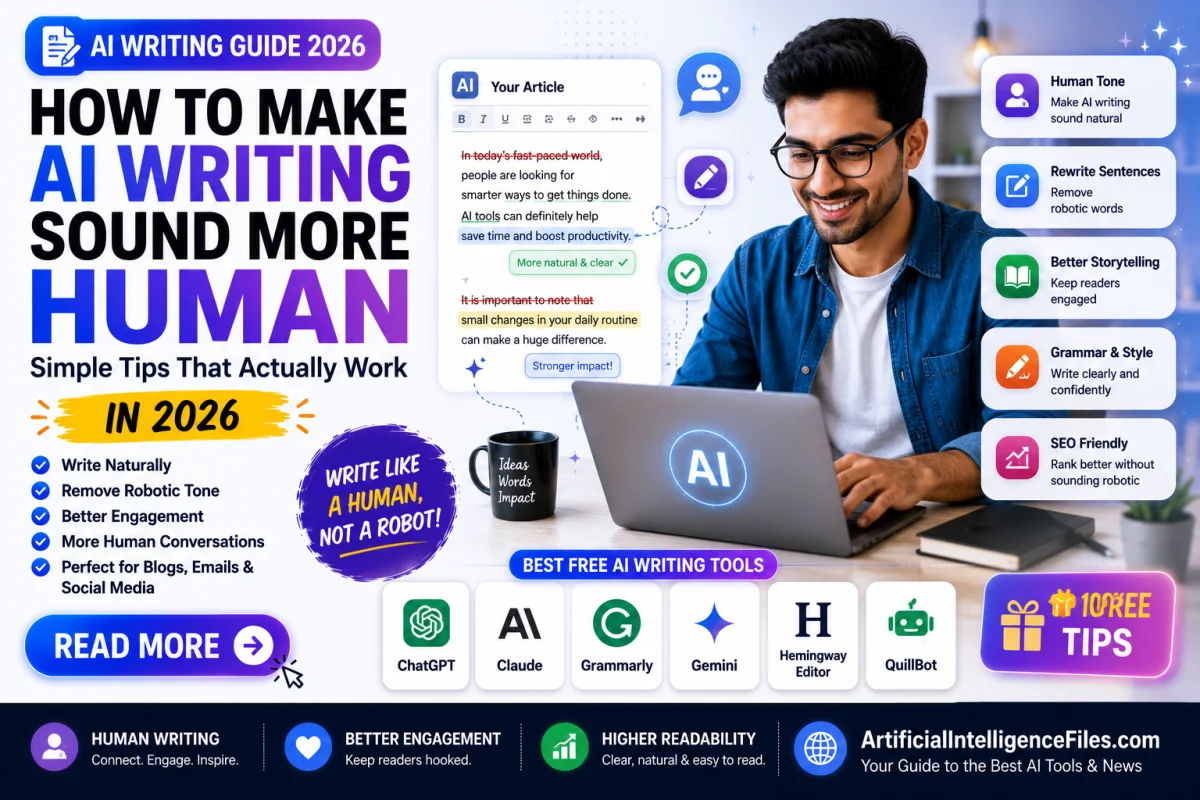
You asked ChatGPT to write something. It gave you clean, well-structured, perfectly grammatical text. And yet — something feels off. It sounds like nobody in particular wrote it. It is polished but hollow. Clear but cold. Correct but forgettable.
You are not imagining it. AI writing has a recognisable pattern — and readers, teachers, and search engines are all getting better at spotting it.
The good news is that making AI writing sound human is not complicated. You do not need special software or technical skills. You just need to know exactly what makes AI writing feel robotic — and how to fix each problem quickly.
Here are the tips that actually work in 2026.
Why Does AI Writing Sound Robotic in the First Place?
Understanding the problem makes fixing it much easier.
AI tools like ChatGPT, Claude, and Google Gemini are built to predict the most likely next word based on patterns in billions of pieces of text. They are optimised to produce smooth, grammatically correct, statistically probable language — not to express lived experience, personal opinion, or genuine emotion.
The result is writing that is technically correct but emotionally flat. It explains things without having felt them. It describes without having experienced. It uses the same words in the same patterns because those patterns are the most common in human writing — which means they are also the most generic.
The most common signs of robotic AI writing are: sentences that are all roughly the same length, overuse of filler phrases like "it is important to note" and "in today's world," lists that explain everything in the same neutral tone, no personal voice or point of view, no contractions, no imperfection, and no surprises.
Once you know what to look for, fixing it becomes straightforward.
Tip 1 — Start with a Better Prompt, Not a Better Edit
Most people try to fix robotic AI writing after it has already been generated. The smarter approach is to prevent it from sounding robotic in the first place by giving the AI a better starting brief.
A weak prompt produces weak, generic output every time. A strong prompt gives the AI a specific voice, a specific audience, and a specific reason for writing.
Compare these two prompts:
Weak: "Write a blog post about productivity."
Strong: "Write a blog post about productivity for a busy parent of two kids under 10 who works from home. Use a warm, honest, slightly tired tone — like you are talking to a friend over coffee. Include one personal-feeling example and keep sentences short. Avoid corporate jargon and bullet-point overload."
The second prompt is not complicated to write — it just requires you to think for 60 seconds about who is reading and what they need to feel. That extra 60 seconds produces writing that is dramatically more human from the very first draft.
Tip 2 — Vary Your Sentence Length Aggressively
This is the single fastest fix for robotic AI writing.
Read any AI-generated paragraph and you will notice that most sentences are roughly the same length — usually medium-long, structured, and complete. Real human writing does not work that way. People write short sentences for impact. Then longer ones that build an idea and add nuance, layer by layer, until the point lands fully. Then short again.
Go through your AI draft and deliberately break this pattern. Cut long sentences in half. Let a thought stand alone. One word can be a sentence. That contrast creates rhythm — and rhythm is what makes writing feel alive rather than machine-generated.
Tip 3 — Delete the Filler Phrases AI Always Uses
AI tools have favourite phrases. They reach for the same expressions constantly because those expressions appear frequently in the training data. Once you learn to spot them, you will see them everywhere.
The most common ones to delete immediately: "In today's fast-paced world," "It is important to note that," "In conclusion," "Furthermore," "Moreover," "This is crucial," "It goes without saying," "In the realm of," and "As we move forward."
These phrases add zero information. They are just verbal padding — the linguistic equivalent of clearing your throat before speaking. Delete every single one and replace them with nothing, or with a direct sentence that gets straight to the point. Your writing will immediately sound sharper and more human.
Tip 4 — Add One Specific, Concrete Example in Every Section
Generic AI writing explains concepts in abstract terms. Human writing grounds them in specific, tangible, real-world examples that readers can picture.
If AI writes "AI tools can save you time on repetitive tasks" — that is generic. Replace it with something specific: "Instead of spending 45 minutes formatting a meeting summary every Friday, you can paste the transcript into ChatGPT and have a clean, shareable summary in under two minutes."
The second version says essentially the same thing — but you can picture it. You can feel the relief of those 45 minutes back. That specificity is what makes writing feel like it was written by someone who actually does this work, not just someone who read about it.
Go through your AI draft and find every place where a concept is explained abstractly. Ask yourself: what does this look like in real life? Add that example and watch the writing come alive.
Tip 5 — Write in Contractions
This sounds almost too simple — but it makes a surprisingly big difference.
AI tools default to formal English. They write "it is," "you are," "do not," "cannot," and "they have" instead of "it's," "you're," "don't," "can't," and "they've." This formality makes writing feel stiff and unnatural — because in real spoken and informal written English, contractions are the default.
Go through your AI draft and change every formal version to the contracted version wherever it sounds natural. This one change makes writing feel significantly more conversational and human — especially in blogs, social media posts, and casual guides like this one.
Tip 6 — Add Your Own Opinion or Point of View
This is the one thing AI genuinely cannot do for you — and it is also the one thing that makes writing worth reading.
AI writing is deliberately neutral. It presents information from all sides, hedges its claims, and avoids taking a clear position. That neutrality protects it from being wrong — but it also makes it forgettable. Nobody shares content that says nothing in particular.
Real human writing takes a position. It says "here is what I think, and here is why." It disagrees with the conventional wisdom. It makes a recommendation confidently. It says "most people do this wrong."
After your AI generates a draft, find one place in each section where you can add your genuine opinion, your personal take, or a direct recommendation. Even one sentence of real opinion per section transforms the entire feel of the piece.
Tip 7 — Use the Right Prompt to Ask AI to Humanise Its Own Draft
Here is one of the most practical tricks in 2026 — using AI to fix AI.
After generating your first draft, paste it back into ChatGPT or Claude with this prompt:
"Rewrite this text to sound more natural and human. Remove generic phrases, vary the sentence lengths significantly, use contractions, cut any filler words, and make the tone warm and direct — like a knowledgeable friend explaining something clearly. Keep all the information but make it feel like a real person wrote it: [paste your draft here]"
Claude in particular is excellent at this task because it produces naturally flowing, less pattern-heavy text. Use this as your second pass, then do your own final edit on top of the result.
Tip 8 — Read It Out Loud Before Publishing
This is the oldest writing trick in the book — and it is still the most reliable test for whether something sounds human.
Read your finished draft out loud at a normal speaking pace. Any sentence you stumble over, any phrase that feels unnatural to say, any section where you find yourself rushing to get through — those are the parts that still sound robotic. Fix them until you can read the whole piece naturally from start to finish without hesitation.
If it sounds natural spoken aloud, it will read naturally on screen.
Tip 9 — Remove AI Overconfidence
AI writing is often overconfident in a way that real human experts are not. It states things as absolute facts when they are actually nuanced, complicated, or context-dependent.
Real human writing acknowledges uncertainty. It says "in most cases," "this depends on your situation," "some people find," and "from my experience" — because real experts know that things are rarely black and white.
Go through your AI draft and find any statement that is presented as universal truth but is actually more nuanced. Add the appropriate qualifier. This does not make your writing weaker — it makes it more honest, more trustworthy, and more human.
Tip 10 — Add a Human Opening Line
AI almost always starts with a broad, contextual statement about the topic. "In today's digital age, content creation has become increasingly important." Nobody reads that sentence and thinks "I need to keep reading."
Real human writing hooks you immediately with something specific, surprising, personal, or direct.
Replace every AI-generated opening with something that creates immediate curiosity or connection. Ask a question the reader is already thinking. Make a statement that surprises them. Start with a specific scenario. Start with the most interesting sentence in the whole piece — not the most contextual one.
Your first sentence determines whether anyone reads the second. Make it count.
Free Tools That Help Humanise AI Content in 2026
If you want extra help beyond manual editing, here are the best free tools available right now.
Claude is currently the best free AI tool for producing naturally human-sounding text. If you find ChatGPT output too robotic, paste the same prompt into Claude and compare — the difference is often significant.
Hemingway Editor is a free tool that highlights overly long sentences, passive voice, and unnecessarily complex words. Running AI-generated text through Hemingway and simplifying whatever it flags makes the writing dramatically cleaner and more readable.
Grammarly catches grammar issues and also flags overly formal or stiff phrasing. Its tone suggestions help shift writing toward a more conversational register.
QuillBot can paraphrase AI-generated text in a more natural style. Use it on sections that feel particularly stiff — then review and adjust the result to match your voice.
Final Thoughts
AI writing tools are extraordinary — they save hours, beat writer's block, and produce clean drafts faster than any human. But a first draft from AI is just that — a first draft.
The writers, bloggers, marketers, and students who get the best results from AI in 2026 are not the ones who publish the raw output. They are the ones who understand what makes writing sound human — specific examples, varied rhythm, genuine opinion, contractions, and a real voice — and then apply those qualities to every AI draft before it goes live.
Use the tips in this guide as a checklist for every piece of AI content you produce. The more you practise, the faster the editing process becomes — until humanising AI content takes five minutes instead of fifty.
Want more free guides on AI tools, writing tips, and the latest AI news? Visit ArtificialIntelligenceFiles.com — your simple guide to everything happening in AI right now, updated every week.
Frequently Asked Questions (FAQs)
Q1. Why does AI writing always sound robotic and unnatural?
AI tools like ChatGPT and Claude are trained to predict the most statistically likely next word based on billions of examples of human text. This makes them produce smooth, grammatically correct writing — but writing that defaults to the most common, generic patterns rather than the most interesting or personal ones. The result is text that is technically correct but lacks a distinctive voice, specific examples, varied rhythm, and genuine human opinion — all the things that make writing worth reading.
Q2. What is the fastest way to make AI content sound more human?
The fastest single change is varying your sentence lengths — mixing very short sentences with longer ones to create natural rhythm. The second fastest is deleting filler phrases like "In today's world," "It is important to note," and "Furthermore" — which AI uses constantly and which make writing feel instantly generic. Both changes take under five minutes and make a dramatic difference to how natural the writing feels.
Q3. Can I use AI to fix AI writing and make it sound more human?
Yes — and this is one of the most effective techniques in 2026. Paste your AI draft back into Claude or ChatGPT with a detailed prompt asking it to rewrite the text with varied sentence lengths, contractions, a warmer tone, and no filler phrases. Claude in particular produces notably more natural-sounding output than most other AI tools and is excellent at this humanising task. Always do your own final read-through after the AI rewrite.
Q4. What words and phrases should I always delete from AI-generated content?
The most common AI filler phrases to delete immediately are: "In today's fast-paced world," "It is important to note," "Furthermore," "Moreover," "In conclusion," "It goes without saying," "In the realm of," "As we move forward," and "This is crucial." These phrases add no information and immediately signal AI-generated text to any careful reader. Replace them with direct statements that get straight to the point.
Q5. Will humanised AI content pass AI detection tools?
AI detection tools work by looking for the same statistical patterns that make AI writing feel robotic. When you genuinely humanise content — adding specific examples, varying sentence length, adding personal opinion, using contractions, and removing filler phrases — the writing becomes statistically less predictable and therefore less detectable as AI-generated. However, no method is foolproof, and detection tools are constantly improving. The best approach is always to use AI as a starting point and then genuinely rewrite and personalise the content rather than trying to trick detection systems.