Introduction to Microsoft AI Models
Course Details
Course Curriculum & Description
About Introduction to Microsoft AI Models
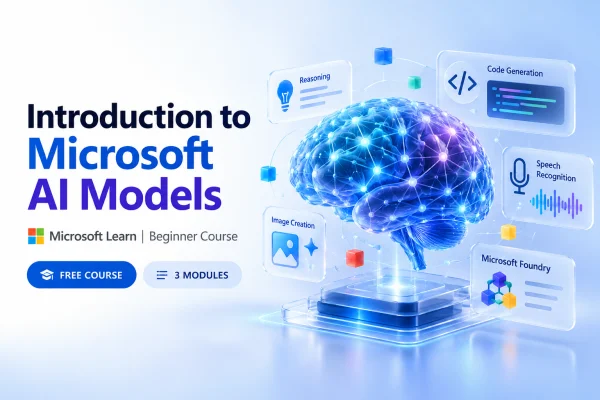
Introduction to Microsoft AI Models is a free, beginner-level learning path offered through Microsoft Learn. The course introduces Microsoft AI (MAI) models and explains how these technologies can support intelligent applications, content creation, software development, and productivity workflows.
Learners explore the capabilities of AI models for reasoning, code generation, image generation, speech synthesis, and transcription. The learning path also introduces Microsoft Foundry, where developers can explore AI models for different application requirements.
With three structured modules and practical exercises, the course provides a foundation for students, developers, aspiring AI engineers, and technology professionals who want to understand Microsoft's AI ecosystem.
What You Will Learn
- Microsoft AI Models: Understand different Microsoft AI model capabilities and their applications.
- AI Chat and Reasoning: Explore how AI models process prompts, generate responses, and support reasoning tasks.
- AI-Assisted Coding: Learn how AI code models can help generate, explain, and improve programming code.
- Image Generation: Discover how generative AI models create visual content from text instructions.
- Speech and Transcription: Understand how AI models convert speech into text and generate spoken audio.
- Microsoft Foundry: Learn how to discover and choose models for different application workloads.
Course Curriculum
Module 1: Get Started with Microsoft AI Models
Duration: 51 minutes | 9 Units
This module provides an introduction to Microsoft's AI model capabilities, covering text, reasoning, programming, audio, and image generation.
Topics Covered:
- Introduction — 2 minutes
- Microsoft AI Models — 3 minutes
- Chat and Reasoning — 3 minutes
- Code Generation — 3 minutes
- Speech Synthesis and Transcription — 3 minutes
- Image Generation — 3 minutes
- Exercise: Explore Microsoft AI Models — 30 minutes
- Module Assessment — 3 minutes
- Summary — 1 minute
Module Link: https://learn.microsoft.com/en-us/training/modules/microsoft-ai-models/
Module 2: Get Started with Microsoft AI Models in Foundry
Duration: 57 minutes | 9 Units
This module introduces Microsoft Foundry as an environment for exploring AI models and identifying technologies suited to different applications.
Topics Covered:
- Discover Microsoft AI models in Foundry.
- Explore model capabilities for reasoning tasks.
- Identify models for image generation.
- Explore transcription and voice workloads.
- Select models based on application requirements.
Module Link: https://learn.microsoft.com/en-us/training/modules/microsoft-ai-in-foundry/
Module 3: Use a Microsoft AI Code Model for AI-Assisted Coding
Duration: 47 minutes | 6 Units
This module focuses on how developers can use Microsoft AI Code models with AI-assisted development tools.
Topics Covered:
- Introduction to Microsoft AI Code models.
- Selecting an AI coding model.
- Planning software development tasks.
- Generating code with AI assistance.
- Explaining existing source code.
- Improving and refining code with AI coding tools.
Module Link: https://learn.microsoft.com/en-us/training/modules/microsoft-ai-code/
Who Should Take This Course?
This learning path is suitable for:
- Students: Interested in understanding modern artificial intelligence technologies.
- Beginners in AI: Looking for a structured introduction to Microsoft AI models.
- Software Developers: Wanting to explore AI-assisted programming.
- Aspiring AI Engineers: Interested in AI model selection and practical AI applications.
- Data Scientists: Seeking an introduction to Microsoft's generative AI ecosystem.
Prerequisites
Microsoft recommends familiarity with generative AI concepts, experience with Microsoft Foundry, and knowledge of AI-assisted coding tools and concepts.
The course is labeled beginner-level, but some practical exercises may be easier for learners with previous exposure to AI development tools.
Course Benefits
- Access Microsoft's official learning materials for free.
- Learn through three structured, self-paced modules.
- Explore multiple generative AI capabilities.
- Develop familiarity with Microsoft Foundry.
- Understand practical uses of AI-assisted coding.
- Complete exercises and module assessments.
Frequently Asked Questions
Is Introduction to Microsoft AI Models free?
Yes. The learning path is available through Microsoft Learn at no course enrollment cost. Certain optional hands-on activities may have separate service requirements.
How long does the course take?
The learning path takes approximately 2 hours and 35 minutes.
Is the course suitable for beginners?
Yes. Microsoft categorizes it as a beginner-level learning path. Basic familiarity with generative AI concepts and development tools is recommended.
Does the course teach AI programming?
It introduces AI-assisted coding using Microsoft AI Code models, including code generation, explanation, planning, and improvement.
Does this course provide a certificate?
A shareable certificate is not explicitly confirmed on the learning path page. Microsoft Learn achievements should not automatically be treated as professional certifications.
Where can I access this course?
You can access the official learning path through Microsoft Learn.
| Start Learning: https://learn.microsoft.com/en-us/training/paths/microsoft-ai/ |
What You Will Learn
- Understand Microsoft AI Models
- Explore Generative AI Capabilities
- Apply Chat and Reasoning Models
- Understand AI Code Generation
- Explore AI Image Generation
- Understand Speech Synthesis
- Understand AI Transcription
- Discover Models in Microsoft Foundry
- Select AI Models for Applications
- Use AI-Assisted Coding Tools
Course Prerequisites
Basic understanding of generative AI concepts, Familiarity with Microsoft Foundry, Familiarity with AI-assisted coding tools and concepts
Course Highlights
Free Online Learning, Official Microsoft Learn Course, Beginner Level, Self-Paced Learning, 3 Learning Modules, 2 Hours 35 Minutes, Practical Exercises, Module Assessments, Microsoft Foundry Introduction, AI-Assisted Coding, Generative AI Models