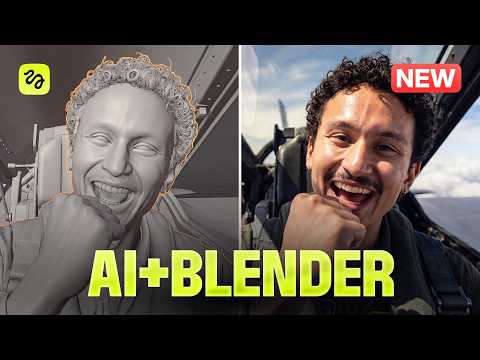
Seedance 2.5 Transforms iPhone Footage into Cinematic AI Videos
Learn how to transform iPhone footage into cinematic AI video using Seedance 2.5, detailed scripts, character references, optimized prompts, and efficient multi-shot workflows.
This video demonstrates a workflow for transforming ordinary iPhone footage into cinematic AI-generated video using Seedance 2.5. It focuses on planning, references, prompting, recording techniques, and efficient scene generation.
Introduction to iPhone-to-AI Video
The video begins by explaining how existing iPhone footage can serve as the foundation for AI-generated cinematic scenes. The workflow combines filmed performances with AI-generated characters, environments, costumes, props, and visual treatments.
Why Scripting Matters
A detailed script is presented as an important foundation for the process. Before filming or generating a scene, creators are encouraged to define the characters, their actions, appearance, voices, environment, and overall scene composition.
Planning Characters and Scenes
The creator recommends deciding in advance how many characters appear in each scene, what roles they play, how they look and sound, and how they should interact with the environment. This preparation helps establish consistent references for AI generation.
Acting Multiple Characters
The video demonstrates a technique for portraying multiple characters within a static shot. Each character can be filmed separately and subsequently combined, providing source performance material that can be used during the AI transformation process.
Scene Descriptions and References
Detailed scene descriptions and visual references are used to communicate the intended action and appearance. Reference images or videos can provide additional information about composition, character design, movement, costumes, and props.
Character Transformation
The creator demonstrates how reference material can be used to transform the performer into different characters while specifying elements such as clothing, accessories, and props.
Prompt Optimization
The video also discusses using an MD file and an installed skill to improve prompt-writing workflows. The objective is to provide more structured instructions and greater control over scene details.
Comparing AI Outputs
Different references and levels of scene complexity can produce different AI results. The video emphasizes matching the prompt and reference material closely to the intended scene rather than relying on generic instructions.
Recording Tips
For better source material, the creator recommends stable and clear footage and encourages exaggerated acting when appropriate. This is particularly relevant when AI needs to interpret performances involving multiple characters or strong physical actions.