
Adobe Firefly Video
Free TrialAbout Adobe Firefly Video
Adobe Firefly Video is an AI-powered video generation tool developed by Adobe that helps users create high-quality videos from text prompts or images. It is designed for content creators, marketers, designers, educators, businesses, and video professionals who want to produce engaging videos quickly without advanced editing skills. As part of the Adobe Firefly family, the tool integrates seamlessly with Adobe Creative Cloud applications, making video creation faster, easier, and commercially safe through AI models trained on licensed and Adobe Stock content.
Uses of Adobe Firefly Video
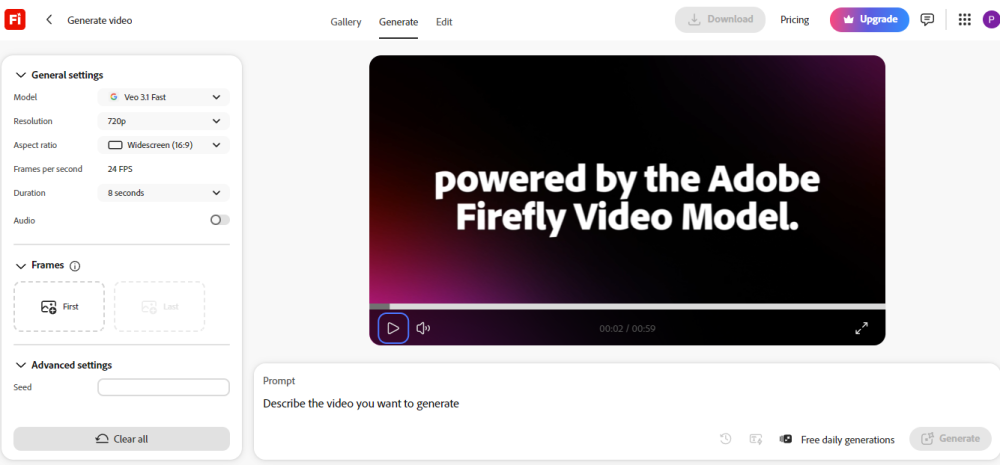
Adobe Firefly Video makes video creation simple and accessible for everyone. Users can generate short, high-quality videos by describing their ideas with a text prompt, allowing them to turn imagination into visual content within minutes. The tool can also animate static images, helping creators transform photos, illustrations, or AI-generated artwork into dynamic video clips.
It is an excellent choice for creating marketing videos, social media reels, YouTube Shorts, product advertisements, promotional campaigns, educational content, and business presentations. Video editors can use Firefly to generate B-roll footage, extend existing video clips with AI, and speed up post-production workflows. Whether you are a beginner or a professional, Adobe Firefly Video helps reduce production time while maintaining high visual quality.
Adobe Firefly Video Models & Sub-Models
The Firefly Video Model is Adobe's primary AI model for generating videos from text descriptions and reference images. It is designed to produce high-quality, commercially safe video content that can be used for professional and business purposes.
The Text to Video model allows users to create original video clips simply by typing a prompt. The AI understands the description and generates a matching scene with realistic motion and visual details.
The Image to Video model transforms still images into animated videos while preserving the original style and composition. This feature is useful for storytelling, product showcases, and creative content.
The Generative Extend model helps editors lengthen existing video clips by generating additional frames that blend naturally with the original footage. It creates smoother transitions and reduces the need for manual editing.
Adobe also offers Translate Video & Audio, an AI-powered feature that translates spoken dialogue into multiple languages while preserving the speaker's voice and synchronizing lip movements for a more natural viewing experience.
Pricing
Adobe Firefly Video offers both free and paid options. A limited Free Plan provides AI generation credits for users who want to explore the platform. Paid plans are available through Adobe Firefly Premium and selected Adobe Creative Cloud subscriptions, offering more AI credits, additional features, and higher usage limits. Adobe also provides limited free credits for eligible new users and subscribers.
Best Use Cases
Adobe Firefly Video is ideal for content creators who want to produce engaging social media videos, YouTube content, and promotional campaigns without spending hours editing. Businesses can create product demonstrations, marketing advertisements, and training materials more efficiently. Designers and creative professionals can quickly visualize concepts, generate storyboards, and develop client presentations. Educators can create interactive learning videos, while agencies and freelancers can speed up video production for multiple clients. It is also a valuable tool for filmmakers, marketers, entrepreneurs, and anyone looking to create professional-quality AI videos with minimal effort.
Adobe Firefly Video
Software pricing, API capabilities, and feature tiers for Adobe Firefly Video are periodically audited. If you notice any outdated specifications, please notify our editorial staff via our Contact Page.