
Captions AI
FreemiumCaptions is an AI-powered video creation and editing platform designed to help users create polished videos with minimal manual editing. It can automatically edit footage, generate captions, create AI actors and digital twins, translate videos, generate B-roll, music and sound effects, and produce videos from text or audio. The platform is available on web, iOS, and Android.
Uses of Captions AI
Captions can automatically transform raw footage into edited, social-ready videos. Its AI Edit feature can analyze a complete video and apply cuts, zooms, transitions, B-roll, captions, music, and other editing elements. Users can also use a chat-based editor to describe changes in natural language instead of manually editing every part of the video.
The platform is useful for social media videos, advertisements, UGC content, product demonstrations, tutorials, podcast clips, educational videos, talking-head content, and marketing campaigns. It can also translate videos into 100+ languages, create AI-generated actors and digital twins, correct eye contact, remove background noise, generate music and sound effects, and turn long videos into multiple short clips.
Captions AI Models & Sub-Models
Mirage — Captions' proprietary video-generation model is designed specifically for realistic talking and UGC-style video. It can generate actors, facial expressions, upper-body movement, environments, and performances from scripts, audio, or prompts rather than simply applying lip-sync to existing footage.
Mirage Edit — A video-generation and editing workflow powered by Mirage. It can take an idea or voiceover and create a complete talking video with a generated actor, contextual B-roll, transitions, sound effects, music, zooms, and cuts. Users can then refine the generated result in the Captions editor.
Mirage Studio — A professional AI acting workflow that generates expressive performances using AI actors. Users can provide an audio track or generate a voice from a script, create an actor from a reference image or prompt, and generate the final video.
AI Edit — Captions' automated editing system analyzes uploaded footage and applies a selected editing style. It can cut scenes, add B-roll, captions, transitions, zooms, music, and other elements to create a finished video.
AI Creator — A one-tap video-generation workflow that lets users create videos without recording themselves. It can generate high-quality videos in different languages and can work with AI actors and other generated media.
AI Twin — Creates a digital version of a person that can be used to generate videos without recording every new piece of content. Users can use their digital twin for repeated content creation and different topics or campaigns.
AI Translate & AI Lipdub — These tools translate and localize video content into different languages while helping preserve the original speaker's appearance and delivery. Captions currently supports translation and subtitles in 100+ languages.
AI Music & AI Sounds — Generative audio tools that can create music and sound effects designed to complement video projects. They can be used to add production value without sourcing every audio element manually.
Pricing
Free: Captions offers a free version with basic video-editing features such as trimming, transitions, some media assets, captions, and other limited tools. Generative AI access is more limited than on paid plans.
Max: $24.99/month on the current iOS pricing page. It includes 500 credits per month, AI Edit styles, fully produced AI videos, digital twins/custom AI actors, chat-based editing, long-video clipping, and generative B-roll, music, sound effects, images, and more.
Scale: Starts at $69.99/month for 1,400 credits. Higher Scale tiers are available at $139.99/month for 2,800 credits and $279.99/month for 5,600 credits. These plans provide higher generation capacity and access to Captions' more advanced generative AI models.
Enterprise: Custom pricing is available for businesses requiring custom seats, bulk credit discounts, dedicated account management, training-data exclusion, onboarding, priority support, and early access to new features.
Free Trial: Captions provides a free version for trying the platform, while selected paid features and generative capabilities require a subscription.
Best Use Cases
Captions is useful for content creators, marketers, advertisers, agencies, e-commerce brands, educators, influencers, coaches, podcasters, and businesses that need to create short-form video quickly. It is particularly useful for UGC-style advertisements, social media campaigns, talking-head videos, product demonstrations, tutorials, and multilingual content. Mirage can generate realistic AI actors and performances, while AI Edit automates much of the traditional post-production process. The combination of AI avatars, digital twins, automated editing, captions, translation, B-roll, music, and sound generation makes Captions suitable for producing large volumes of social and marketing videos from a single platform.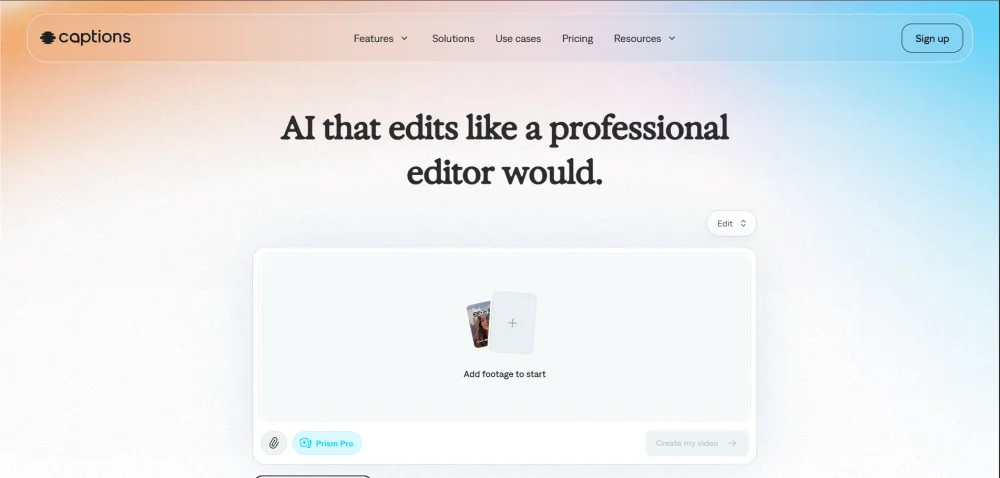
Software pricing, API capabilities, and feature tiers for Captions AI are periodically audited. If you notice any outdated specifications, please notify our editorial staff via our Contact Page.